Install MarketCheck
Cowork Plugins
Add the GitHub-hosted plugin marketplace to Claude, install the plugin for your role, and get AI-powered skills that auto-activate based on your questions.
Before you begin
- 1Claude Desktop installed on your machine
- 2MarketCheck MCP Connector set up — complete the Chat guide first
- 3A valid MarketCheck API key
Video Tutorial
Watch the full plugin installation walkthrough
Step-by-step Instructions
Add the MarketCheck Marketplace from GitHub
In Claude Desktop, go to Customize → Personal Plugins → Browse Plugins → Personal. Click the + button and select Add marketplace from GitHub.
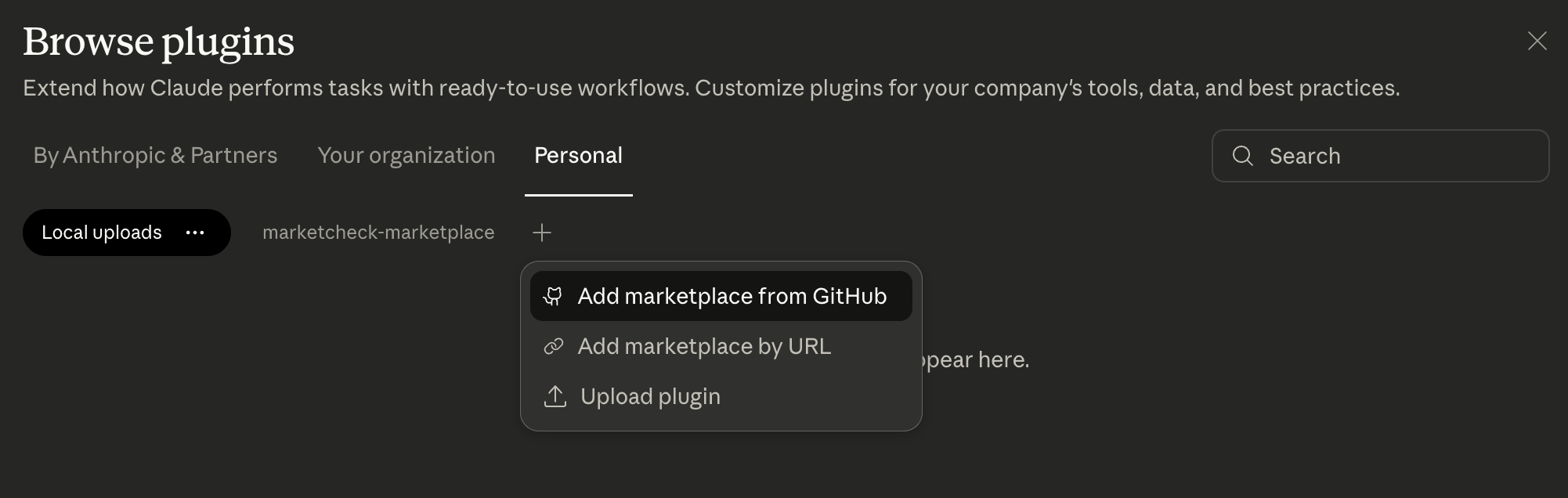
In the dialog that appears, paste the following URL and click Sync:
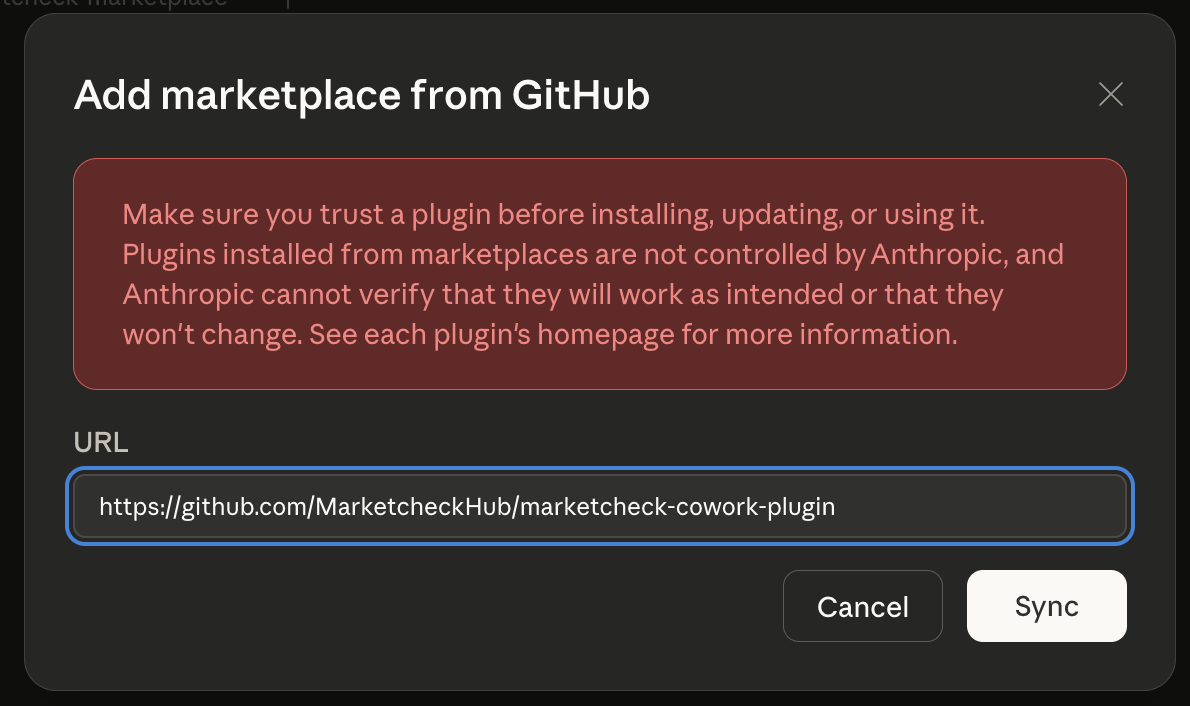
A warning will appear saying plugins are not controlled by Anthropic. This is expected — only install plugins from developers you trust.
Install the plugin for your role
After syncing, you'll see the MarketCheck marketplace under the Personal tab. Browse the available plugins and click Install on the one that matches your role.
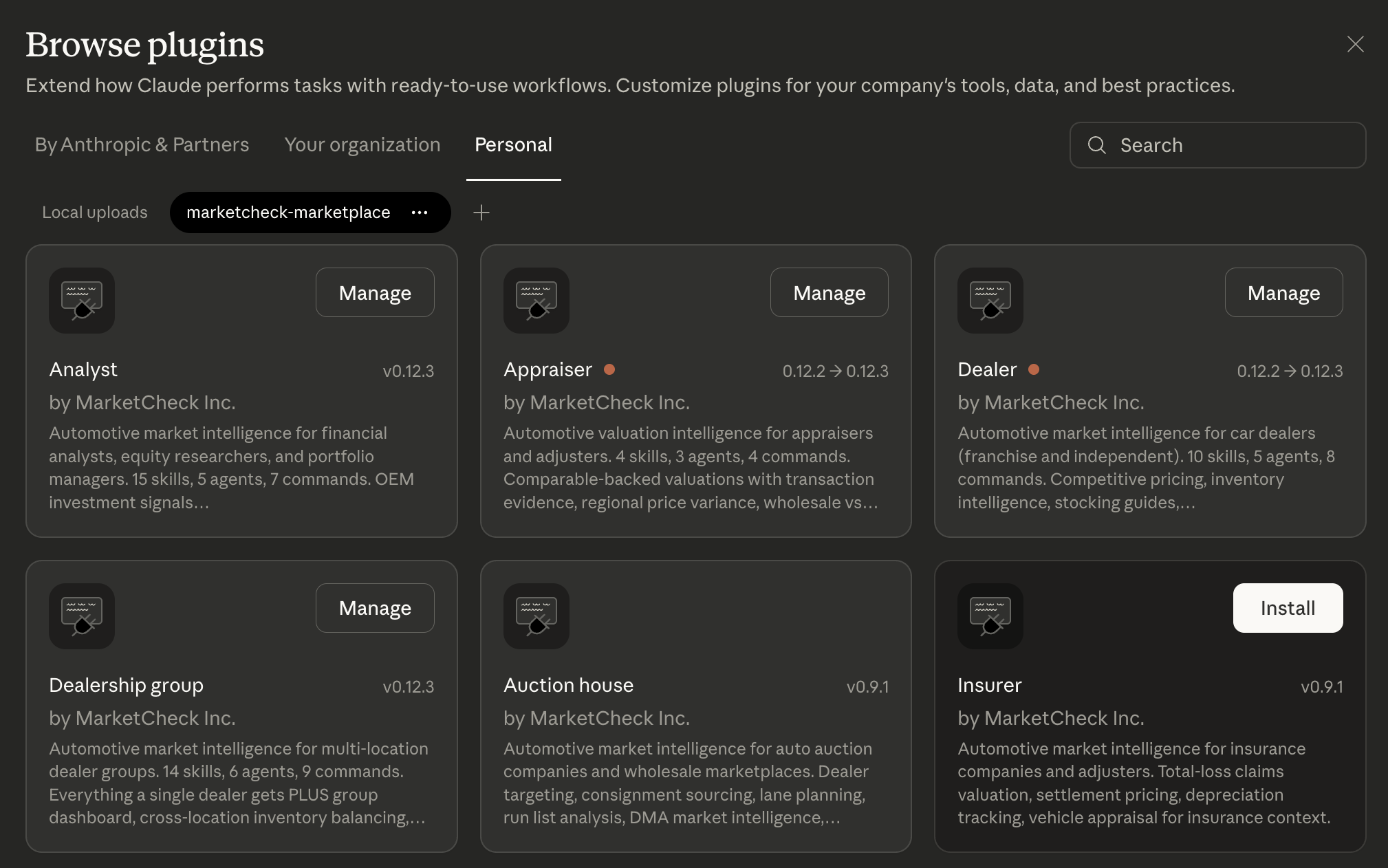
Available plugins:
Dealer
10 skills, competitive pricing, inventory intelligence
Dealership Group
14 skills, cross-location balancing, group dashboard
Appraiser
4 skills, comparable-backed valuations
Analyst
15 skills, OEM stock signals, market momentum
Lender
VIN appraisal, collateral valuation, market trends
Insurer
Total-loss valuation, depreciation tracking
Manufacturer / OEM
Brand market share, EV transition monitor
Auction House
Lane planning, consignment sourcing, run list analysis
Open a Cowork task and start chatting
Open a new Cowork task in Claude Desktop. Skills activate automatically based on your query — no commands to memorize.
“Am I priced right on my RAV4 inventory?”
“Show me Tesla vs Ford market share trends”
“Appraise this 2021 Honda CR-V with 45k miles”
“What's the collateral value for VIN 1HGCM82633A123456?”
The installed plugin's skills will automatically activate when Claude detects a matching intent in your question.
Explore what each plugin can do
Browse skills, agents, and commands for every plugin to find what's right for your workflow.